
Fill Profile Details
The Foundation of Your Biodata
Start by entering personal information, education, career, and family roots. Our smart form supports multi-language input with optional translation for Marathi, Hindi, and Gujarati scripts.

Select & Customize Template
Visual Excellence Matters
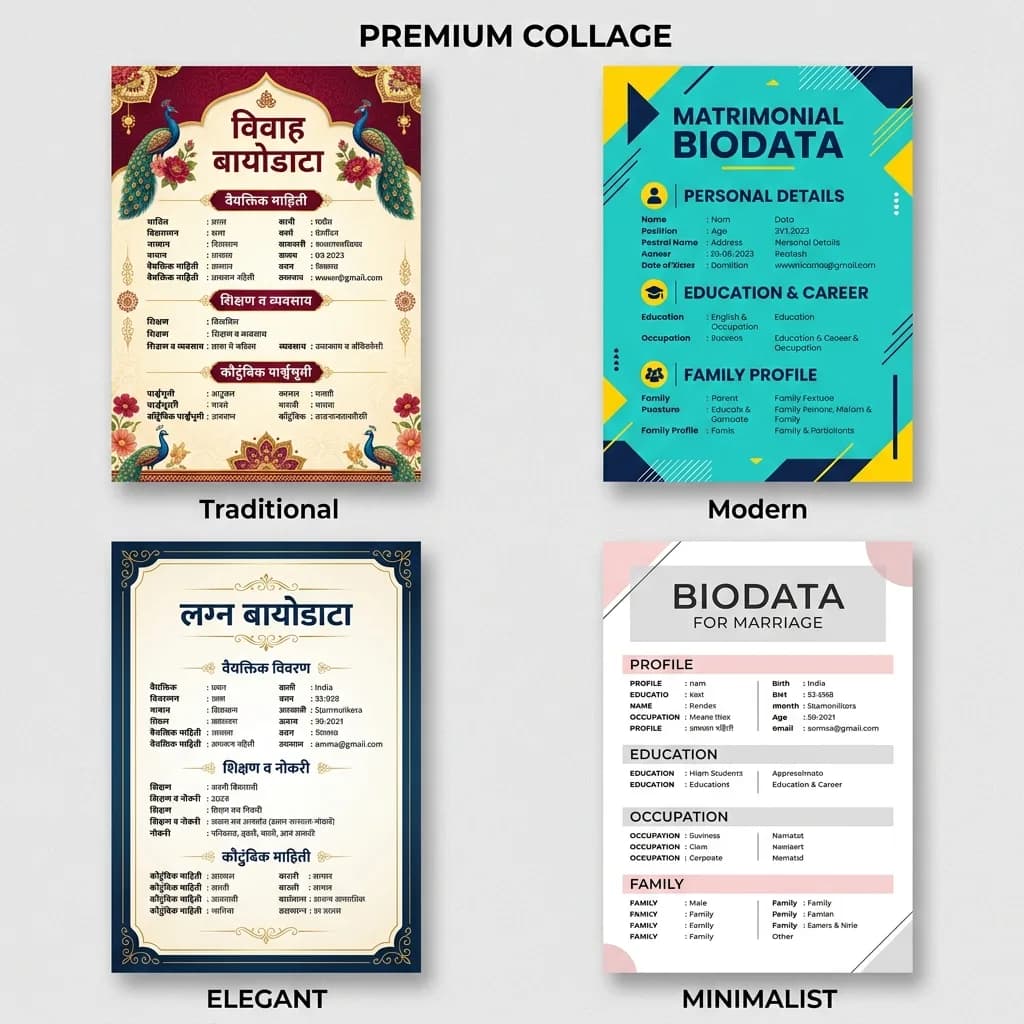
Choose from 50+ premium marriage biodata templates — traditional decorative or modern minimalist. Customize colors, fonts, and photo placement with live preview.
Download Print-Ready PDF
Instant & High Quality
Export a high-resolution PDF scaled for A4 printing, or download an editable Word (DOCX) file. Both formats are optimised for WhatsApp sharing and physical print.
Secure Online Sharing
Modern Way to Connect
Share a private web link instead of heavy PDF files. Your profile opens as a mobile-optimised page — update details anytime and the link reflects changes instantly.

Manage from Dashboard
Your Personal Control Center
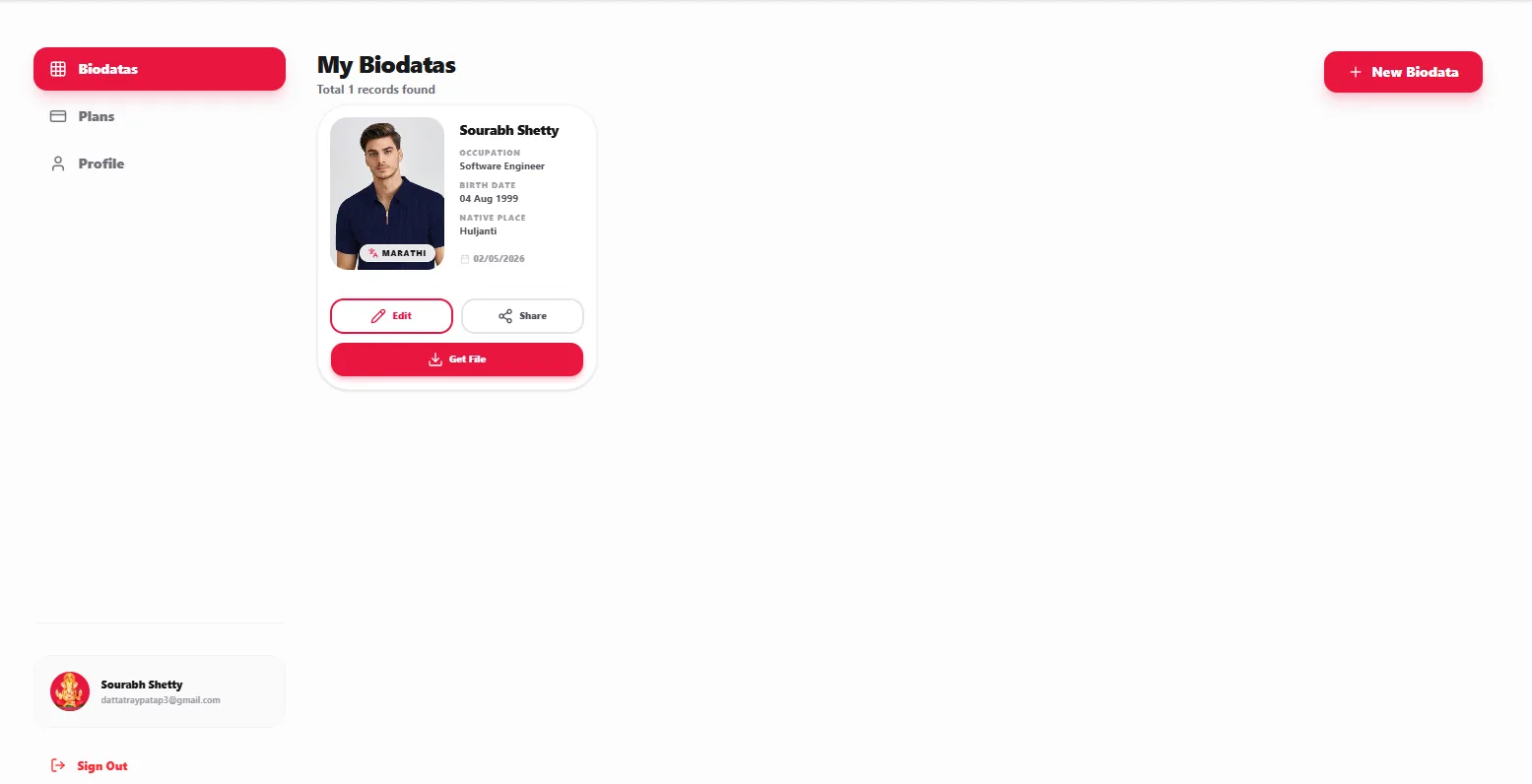
Use your dashboard to manage multiple biodata versions, track downloads, control shared links, and keep matrimonial profiles organised in one place.

What Makes a High-Ranking
Marriage Biodata?
Whether families find you through matrimonial sites or WhatsApp forwards, a well-structured biodata improves trust and response rate. Use clear headings, honest details, a professional photo, and export in PDF or Word format for easy sharing.
Must-Have Sections
How to Create Biodata — FAQs
Your Marriage Profile Hub
Manage biodatas, control shared links, and download updated PDF or Word files from one dashboard — built for Indian matrimonial workflows.
Privacy First
Enable or disable shared links instantly.
Works on Every Device
Mobile, tablet, and desktop optimised profiles.
Step-by-Step Guide to Creating a Matrimonial Biodata
Summary: Step-by-step tutorial on how to create, format, download, and share a marriage biodata online using My Wed Profile. Covers essential sections including personal details, educational qualifications, family background, horoscope coordinates, photo selection, and multi-language typing in Marathi, Hindi, Gujarati, and English.
Definition: A marriage biodata is a structured biographical profile used in Indian arranged marriages to introduce a prospective bride or groom's personal, educational, family, and astrological credentials to prospective families.
Audience and Use Case: Built for prospective brides, grooms, parents, and relatives across India and the diaspora preparing formal matrimonial profiles for matchmaking proposals.
Key Takeaway: Following the 5-step process ensures accurate information hierarchy, error-free phonetic transliteration into Indian scripts, and compliance with standard ISO 216 A4 paper dimensions for high-resolution vector PDF printing.
What are the 5 steps to create a marriage biodata online?
The 5 steps are: (1) Enter personal and contact information, (2) Add education, profession, and family background, (3) Select a cultural template and customize layout, (4) Preview in real-time and proofread details, (5) Download high-resolution print-ready PDF or editable Word file and share via WhatsApp.
What documents or details do I need before creating a biodata?
You need your legal birth date and time, birth location, height, educational degrees, current job designation and employer, parents' names and occupations, sibling details, gotra or caste coordinates, and a high-resolution portrait photograph.
Should I share marriage biodata as PDF or Word?
PDF is the recommended format because it locks layout, fonts, and photo positions identically across all smartphones and computers without formatting shifts on WhatsApp.
How do I write biodata in Marathi, Hindi, or Gujarati?
You can type phonetically in English (e.g., "Deshmukh" or "Sharma") and our smart phonetic engine converts it instantly into native Devanagari or Gujarati scripts.
Biodata Format Comparison Table
| Feature | PDF Vector Format | Word (DOCX) Format | Web Share Link |
|---|---|---|---|
| Mobile Rendering | 100% fixed layout on all devices | May shift depending on viewer application | Interactive mobile-first web view |
| Print Quality | 300 DPI high-resolution A4 vector | Standard office document quality | Digital viewing only |
| Privacy Controls | Static file once shared | Static file once shared | Instant link revocation from dashboard |
| Sharing Ease | One-click WhatsApp attachment | Direct file attachment | Clickable private URL |
Five-Step Biodata Creation Checklist
- Fill profile details: Personal background, education, profession, and horoscope.
- Select & customize template: Choose from 50+ community-specific layouts.
- Download print-ready PDF: Export high-resolution A4 files.
- Secure online sharing: Generate private WhatsApp sharing links.
- Manage from dashboard: Update details and revoke shared links anytime.
Credible Sources and Standards
Source: Registrar General of India matrimonial documentation guidelines; International Organization for Standardization (ISO 216 paper formatting); Ministry of Electronics and Information Technology (MeitY) digital document guidelines.
Official references:ISO 216 Paper Standards | Ministry of Electronics and Information Technology